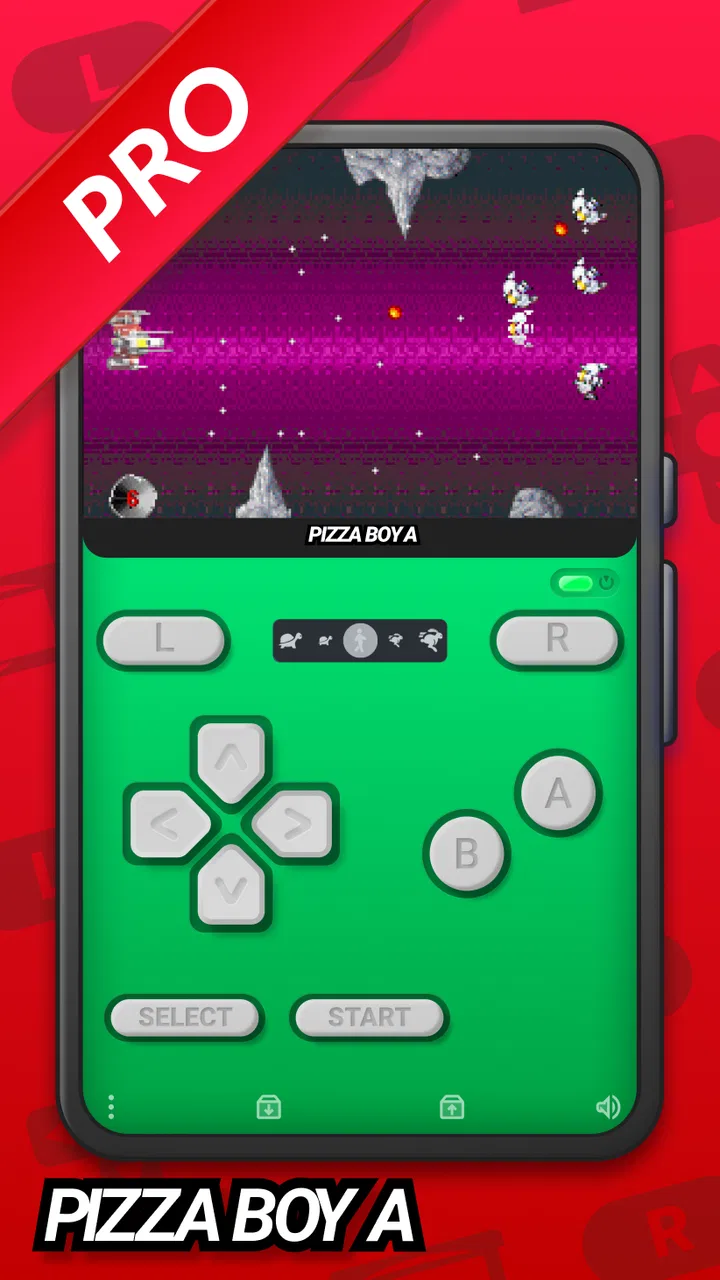
Pizza Boy A Pro
- 4.8
- Rating
- 100.00K
- Installs
- $5.99
- Price

 Analysis by App-foxy
I came to Pizza Boy A Pro expecting a straightforward way to revisit Game Boy Advance titles on a phone, but the useful part of the experience is not simply getting a game to open. The real test is whether the emulator fits into everyday play without making setup, controls, saves, or troubleshooting feel like a second hobby. After spending time with it, I see a polished arcade-focused option for people who already understand what an emulator is and want a fuller version of Pizza Boy A rather than a bare-bones experiment.
It is an Android game from Pizza Emulators, listed in the Arcade category, and its purpose is clear: emulate Game Boy Advance software. It costs $5.99, carries an Everyone age rating, and has built a strong public reception with a 4.8 average from around 20K ratings. That combination suggests a product aimed at committed retro players rather than someone casually testing emulation for five minutes.
The most important expectation to set is that Pizza Boy A Pro does not replace the games themselves. You need to handle your own game files and use them responsibly. The application is the playback environment: it gives you the screen, controls, and emulator behavior, while the quality of your files, phone, and controller setup still affects the final experience. That distinction explains many problems that users initially blame on the app.
You May Also Like

 Blood Strike: 2.5 Anniversary
Blood Strike’s Loadouts Turn Every Drop Into a Tactical Gamble
A close look at Blood Strike’s custom loadouts: how fast access to signature weapons reshapes its battle royale rhythm, rewards preparation, and narrows the gap between fights.

 Pandora - Music & Podcasts
Pandora’s Music Is Easy to Start, but Harder to Recover
Pandora’s strength is its low-effort path from a seed to a station. Its weak spot is how much confidence it asks you to place in connection, setup, and quiet recovery.

 8 Ball Pool
 Is Built on Rivalries, Rematches, and Routine
A close look at the rivalries, rematches, shared routines, and unanswered safety questions that turn a quick pool match into a persistent mobile community.

 Samsung Music
’s Quiet Strength Is Playing What You Already Own
Its reach comes less from spectacle than from dependable access to a personal library. That simplicity is both the app’s strongest retention engine and its ceiling.

 AccuWeather: Weather Radar
AccuWeather Review: A Quick, Clear Forecast for Everyday Decisions
For everyday plans, the best forecast is the one you can understand quickly. AccuWeather makes rain timing, radar, and local conditions easy to act on, with a few trade-offs.

 Hill Climb Racing
Why Hill Climb Racing Still Turns Crashes Into One More Run
A tiny car, a bumpy hill and one more upgrade: Hill Climb Racing keeps resurfacing because its simple chaos makes every near-miss feel personal.
More From Our News Desk



Getting past the first points of friction
I’ve found that the easiest way to make an emulator feel dependable is to remove guesswork before a longer session: settle on one game file, one control method, and a save routine, then change only one thing at a time if something feels off. That approach makes setup less of a chore and helps separate personal comfort from genuine trouble. Once those basics feel settled, the next question is how the experience itself holds together.
Why the first launch can feel less simple than expected
The usual stumbling block is not the emulator interface but the preparation around it. A new user may install the app, open it, and expect a ready-made library. Instead, the first useful step is organizing legally obtained Game Boy Advance files somewhere easy to find. If files are scattered across downloads, cloud folders, and removable storage, even a capable emulator can feel confusing.
I recommend creating one clearly named folder before importing or browsing for anything. Keep the original files untouched and use a separate location for any copies you plan to test. This makes it easier to identify whether a problem belongs to one game file or to the application itself. It also prevents the common mistake of repeatedly changing settings when the real issue is an incomplete or unsuitable file.
Another point that catches people is the difference between installing an emulator and configuring a comfortable control layout. Touch controls may be enough for a short session, but a platform game, racing game, or action title can expose awkward button placement quickly. I would spend a few minutes adjusting the on-screen arrangement before judging the emulator. A layout that works for a menu-heavy role-playing game may be uncomfortable for anything requiring rapid shoulder-button use.
Small setup checks that save time later
Before beginning a long session, I would check three things: whether the game file opens consistently, whether the controls respond correctly, and whether saving behaves as expected. These checks are more valuable than immediately changing every visual or performance option. They create a simple baseline, so if something breaks later, you know what changed.
Start with a short play session and make a normal in-game save if the title supports one. Then close and reopen the game to confirm that the save can be found. This is a practical habit because emulator saves and the game’s own save system are not always the same thing. Treating them as separate tools gives you a clearer recovery path if one method becomes inconvenient.
For touch play, I prefer placing the directional controls where my thumb naturally rests instead of copying a physical handheld layout exactly. The phone screen has different proportions, and a faithful-looking arrangement is not automatically the most comfortable one. If you use a Bluetooth or wired controller, test every button, especially the shoulder buttons, before starting a difficult section. A controller that connects successfully can still have an unexpected mapping.
It is also worth checking the phone’s basic environment. Close anything that aggressively overlays the screen, make sure the system is not restricting the app in the background, and avoid testing while the device is nearly full. These are general checks, but they matter more during emulation because interruptions can affect a session even when the game itself is running correctly.
What the current release means for compatibility
The current version is 3.8.4, and the app requires Android 8.0 or newer. That makes the operating-system requirement reasonably approachable for many Android phones, but it does not guarantee identical results across every device. Two phones meeting the same system requirement can still differ in touch behavior, controller handling, thermal performance, and background restrictions.
I would therefore avoid assuming that a problem on one phone proves a general defect. Test a second game file, restart the app, and compare behavior after a clean launch. If only one title misbehaves, the file or that particular game’s compatibility may be the more likely explanation. If every title shows the same issue, then settings, the operating system, or the device itself deserves closer attention.
Recovering a session without making the problem worse
When a game stops responding, my first instinct is not to delete anything. I close the current session, reopen the same file, and see whether the issue returns at the same point. If it does not, the interruption may have been temporary. If it does, I go back to the last reliable in-game save rather than repeatedly forcing the same failed state.
This is where disciplined saving matters. I like keeping several normal in-game saves at different points when a title allows it, especially before a boss, puzzle, or long sequence. Emulator users often rely heavily on quick-save-style recovery, but a single emergency state can become a weak point if it is overwritten after a crash or bad input. A normal save gives you a more dependable fallback.
For a long trip, I would test the exact routine I plan to use at home: open the app, load the game, resume from a save, play briefly, and exit normally. That practical rehearsal can reveal issues with storage access, controller pairing, or aggressive battery management before they interrupt a valuable journey. It is a better test than simply leaving the game open for a few seconds.
If a save seems to disappear, first check whether you are reopening the same game file and the same storage location. Duplicate copies with similar names can make a perfectly good save appear missing. I would also avoid moving files between folders while a session is active. Finish the session, close the emulator cleanly, and then organize files. This keeps the troubleshooting process understandable and reduces accidental confusion.
When the emulator is not the real cause
Emulation problems are often blamed on the application because the game is the visible part of the experience. In practice, several outside factors can produce similar symptoms. A damaged game file may fail to load or behave strangely, while a phone’s performance mode, heat, or battery-saving behavior may cause uneven play after a longer session.
Storage can also be misleading. A file may appear in a file browser but still be difficult for the app to use if it was moved, renamed, or left in an inaccessible location. Rather than repeatedly reinstalling Pizza Boy A Pro, I would first place a known-good, legally obtained file in a simple folder and test that alone. A controlled test is much more informative than changing several variables at once.
Controller issues deserve the same caution. If touch controls work but a physical controller does not, the emulator may not be the only suspect. Pairing state, another connected device, system-level button mapping, or a controller that is sending unexpected inputs can all interfere. Disconnecting other input devices and reconnecting one controller at a time is a sensible way to isolate the source.
Audio or display interruptions may also come from the phone. Notifications, screen overlays, accessibility tools, and manufacturer-specific game modes can alter how an app behaves. I would temporarily simplify the environment before concluding that the emulator is unstable. This is not about hiding faults; it is about separating an app problem from a device configuration problem.
How it compares with simpler alternatives
Compared with a free emulator, the main question is not only whether a game can launch. A free option may be enough for someone who plays rarely, accepts basic controls, and does not mind experimenting. Paying for Pizza Boy A Pro makes more sense when you value a more complete experience, want to support Pizza Emulators, and expect to return to the same library regularly.
Compared with playing on original hardware, a phone is more convenient but less tactile. The display, buttons, battery, and shape of a dedicated handheld can feel better for long sessions. Pizza Boy A Pro wins when you want your games available on a device you already carry, particularly for short commutes or waiting-room sessions. It is less convincing for someone who wants the physical feel of a classic handheld above everything else.
Compared with a desktop emulator, the Android version is easier to use away from a desk, but a computer may offer a larger display and more comfortable input options. I see the phone version as a portability-first choice. It is especially attractive for players who want to continue a save in small pockets of time rather than build a permanent living-room setup.
Who will get the most from the purchase
The app is a good fit for a retro player who already owns appropriate game files, uses Android 8.0 or later, and wants a dedicated Game Boy Advance experience instead of a multi-system application filled with menus for platforms they never use. It also suits someone who is willing to spend a little time on controls and saving rather than expecting every phone to behave identically without adjustment.
It is less suitable for a person who wants instant access to a preloaded catalog, does not want to manage files, or mainly plays modern arcade games. The $5.99 price is reasonable for a focused emulator, but it is still a poor purchase if you only plan to open one game once. In that situation, a free alternative or original hardware you already own may be more practical.
The public adoption is substantial, with over 100K installs, and the app was released on Sep 29, 2019. Those details give it a longer presence than a brand-new experiment, while the current release shows that it remains maintained as a product. Still, neither popularity nor age removes the need to test your own phone, files, and preferred controls.
My practical verdict after using it
I recommend Pizza Boy A Pro to the friend who wants a focused Android emulator for Game Boy Advance games and is prepared to do a sensible setup once. Its strongest quality is the way it turns a phone into a convenient retro machine without asking you to install a broad collection of unrelated emulators. The experience becomes particularly good when your files are organized, your controls are adjusted, and your saving routine is deliberate.
My main reservation is not a single missing convenience; it is the amount of responsibility placed on the user. You must bring legitimate game files, understand where they are stored, distinguish normal saves from emulator recovery states, and recognize when the phone or controller is causing trouble. Beginners can manage that, but they should not expect the first launch to explain every part of the process.
The best way to judge it is to treat setup as part of the purchase, not an obstacle after it. Test one game, confirm a save survives a restart, adjust the controls for your hands, and only then build a larger library. If that workflow sounds reasonable, Pizza Boy A Pro is a strong, practical choice for portable Game Boy Advance emulation. If you want zero file management or a plug-and-play catalog, I would choose a different kind of gaming solution instead.
For me, the $5.99 price is justified when the app becomes a regular part of my Android gaming routine rather than a one-night experiment. Pizza Emulators has made a focused product for players who care about returning to these games comfortably, and the 4.8 average reflects how well that purpose lands with its audience. Just keep your expectations realistic: the emulator can provide the environment, but reliable files, sensible saves, and a well-prepared phone still make the difference between a smooth session and a frustrating one.
FAQs for Pizza Boy A Pro
01What is Pizza Boy A Pro?
Pizza Boy A Pro is a premium Game Boy Advance emulator for Android devices. It lets you play compatible GBA games from legally obtained ROM files while offering features such as save states, customizable on-screen controls, fast-forwarding, cheat support, controller compatibility, and visual options. It is designed for users who want a polished, accurate, and mostly ad-free emulation experience.
02Does Pizza Boy A Pro include Game Boy Advance games?
No. Pizza Boy A Pro does not include commercial Game Boy Advance games, BIOS files, or a built-in library of copyrighted ROMs. After installing the app, you must provide your own legally dumped game files. Users should only emulate games they own and should check the laws in their country before downloading or using ROM files from third-party websites.
03What features does Pizza Boy A Pro offer?
The app includes a broad selection of features for both casual and experienced players. You can create save states, use multiple save slots, speed up gameplay, customize the touchscreen layout, connect external controllers, apply visual adjustments, and use cheats where supported. It also provides tools for managing games and saves, making it more flexible than a basic emulator.
04Does Pizza Boy A Pro work well on every Android phone?
Pizza Boy A Pro generally runs smoothly on many modern Android phones, including relatively modest devices, because Game Boy Advance emulation is not especially demanding. However, performance can vary depending on your processor, Android version, game compatibility, and device settings. Older phones may experience occasional audio, graphics, or controller issues with particular games.
05Is Pizza Boy A Pro worth buying?
Pizza Boy A Pro can be worth buying if you regularly play legally obtained GBA games and want a reliable emulator without the distractions commonly found in free alternatives. Its save-state system, customization options, controller support, and smooth performance make it convenient for longer sessions. It may not be necessary for occasional players who only need basic emulation.
Pros
- Accurate emulation delivers smooth gameplay on most modern devices.
- Save states make it easy to pause and resume games anywhere.
- Supports customizable on-screen controls and external controllers.
- Fast-forwarding helps skip repetitive sections and grinding.
- Low resource usage keeps battery drain relatively modest.
Cons
- The app is paid
- which may discourage casual users.
- Some advanced settings can feel confusing for beginners.
- Touch controls may be uncomfortable for long gaming sessions.
- Game files are not included and must be obtained legally elsewhere.
- Compatibility can vary with unusual or poorly dumped ROMs.

Pizza Boy A Pro
Gallery